Crop Production Pipeline Project 🌏
The Food and Agriculture Organization of the United Nations (FAO) provides comprehensive crop statistics covering 173 products across various regions globally.
For more detailed information, you can visit the FAO website crop statistics.
Table of contents
Introduction
This project aims to provide comprehensive insights into global crop production statistics sourced from the Food and Agriculture Organization of the United Nations (FAO). By ingesting data from Data World and generating Crop Production Dashboard, the project will strive to enhance understanding and facilitate informed decision-making.
This could help answer questions:
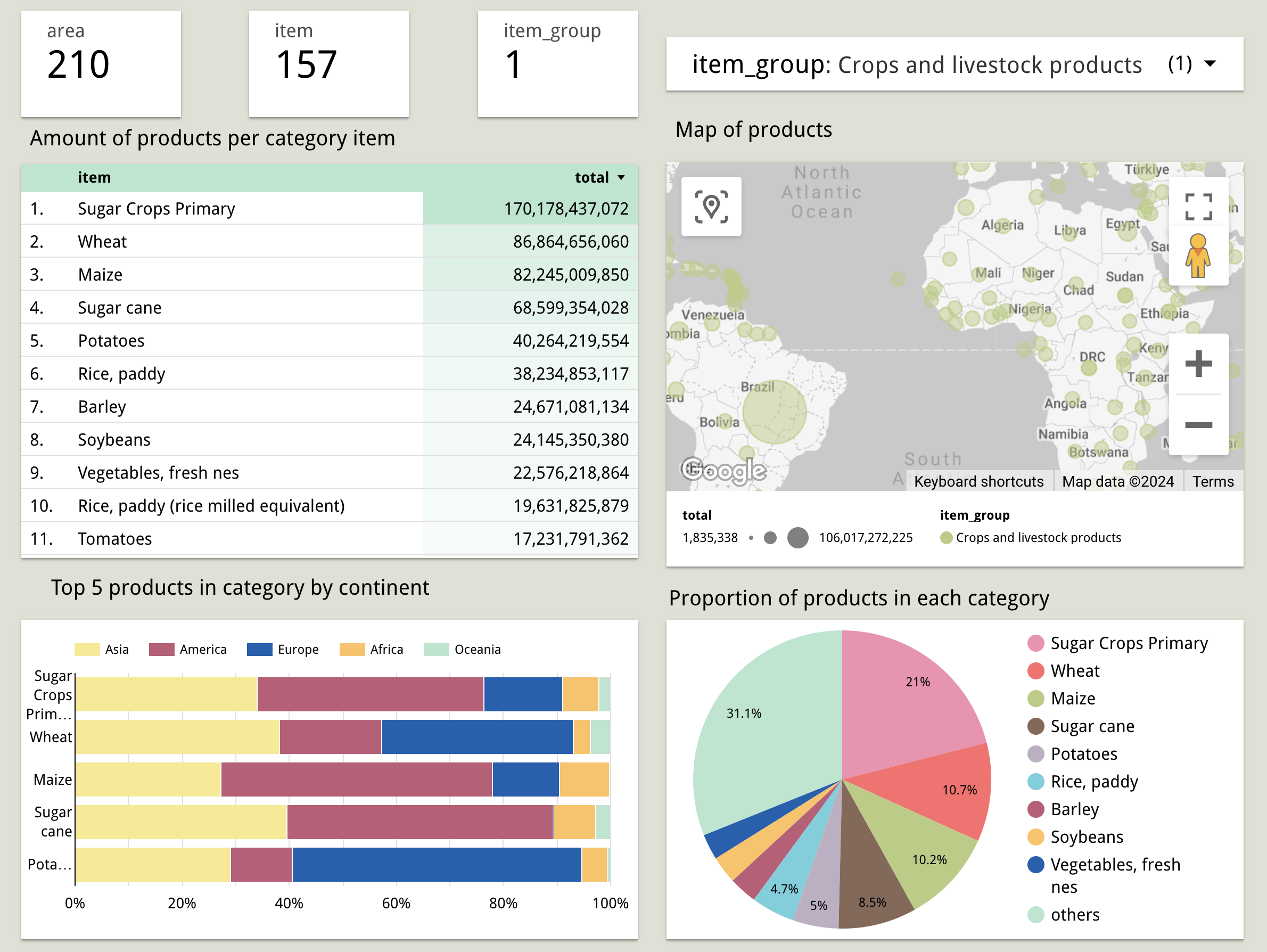
- What are the top 5 crop items produced in each continent in terms of quantity over the years?
- How does the proportion of crop production vary across category?
- What is the geographical distribution of specific crop categories across different areas?
Dataset
The dataset in which all transformations and analysis will be developed is Crop Production published on Data World. Given that this dataset is in CSV format and largely clean.
Crop Production dataset contains multiple tables:
FAO Metadata
Reference
- Elements
- Flags
- Items
- Units
Production Crops (5 tables for each continent)
Infrastructure
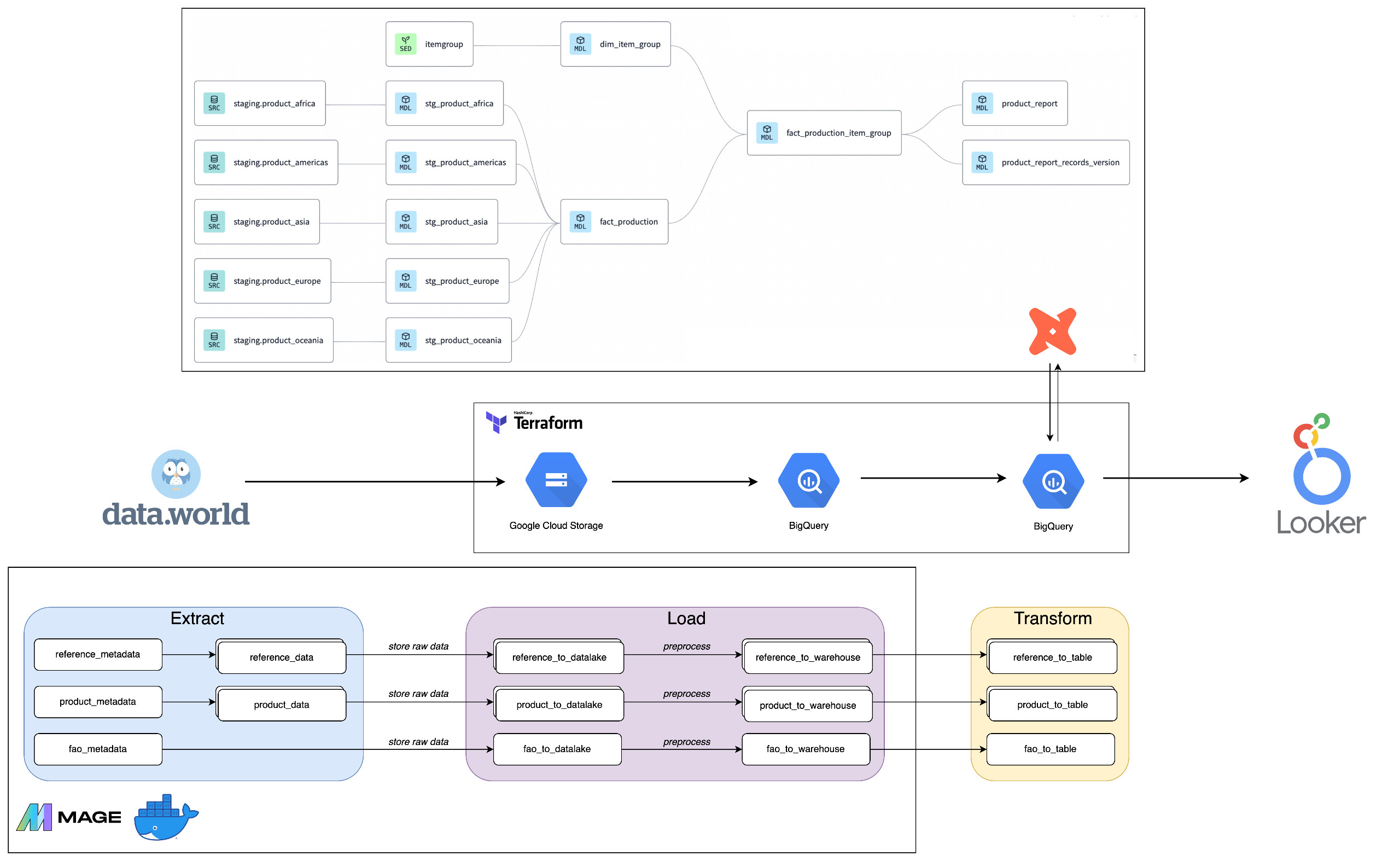
The following tools and technologies are used:
- Cloud - Google Cloud Platform
- Infrastructure as Code - Terraform
- Containerization - Docker
- Orchestration - Mage
- Transformation - dbt
- Data Lake - Google Cloud Storage
- Data Warehouse - BigQuery
- Data Visualization - Looker Studio
Dashboard
The report is built on top of the data marts created in dbt and shared in Looker Studio. It includes item_group filter to analyze crops. You can take a look into the finished dashboard here.
Reproducibility
Config GCP
- Create project in Google Cloud Platform
- Create Service Account
- Role:
BigQuery Admin,Storage Admin,Storage Object Admin,Viewer - Create credential key (Json)
- REMEMBER: enable APIs (BigQuery, credential)
Connect Google Cloud to local machine and authorize the gcloud CLI
Config Terraform - template
- Add credential keys
- Change
main.tfandvariables.tf - Run commands
 terraform init
 terraform plan -var="project=<gcp-project-id>"
 terraform apply -var="project=<gcp-project-id>"
Config docker for Mage - template (You can deploy Mage in Cloud by using Terraform - templates)
- Create
Dockerfile,docker-compose.yml,requirements.txt,.env - Run docker commands (Open Docker Desktop before run)
 docker compose build
 docker compose up
Navigate to
localhost:6789Build data pipeline
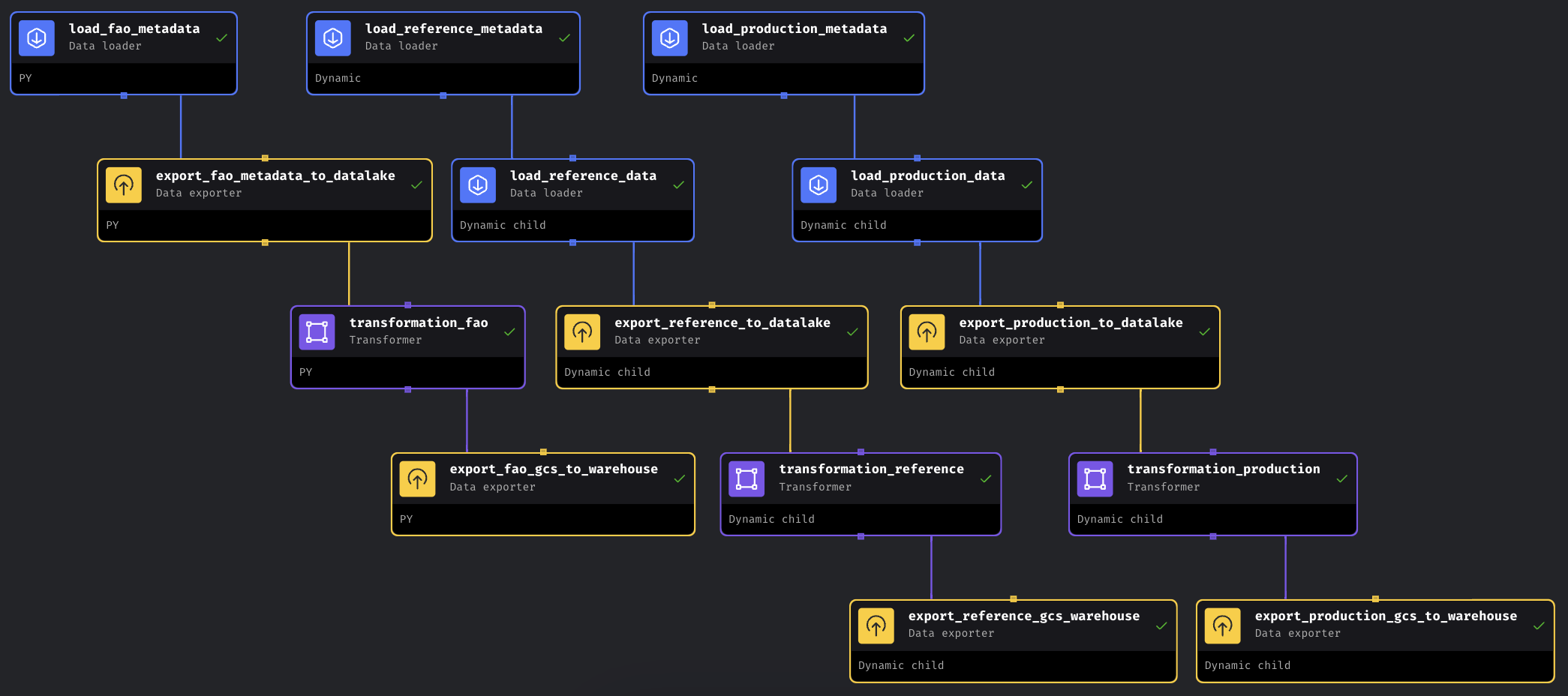
- Extract data from API (work with dynamic blocks here)
- Ingest raw data to datalake
- Preprocessing
- Load data to data warehouse
- Create
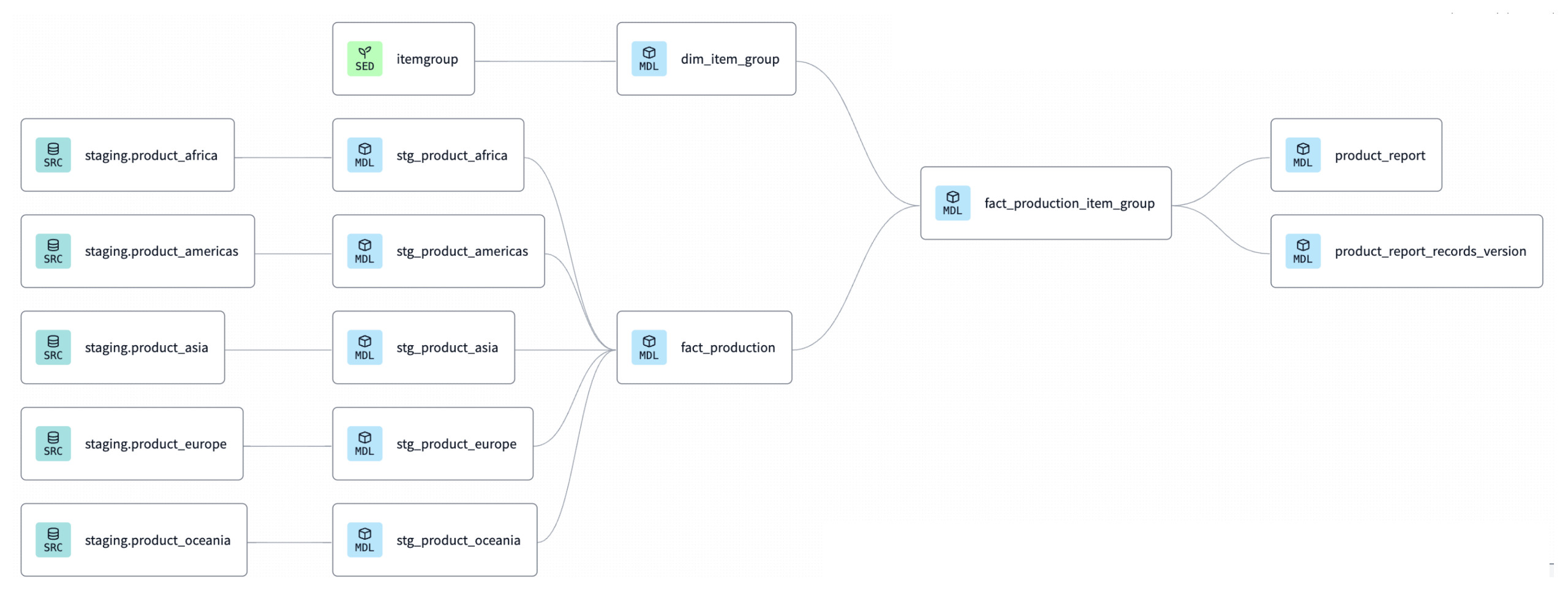
- Transform with dbt
- Generate dashboard in Looker Studio
Special Thanks
A big thank you to DataTalksClub for their amazing Data Engineering Zoomcamp!